
Aug 21, 2026News Center
Why Does My Optical Module Link Keep Flapping? 6 Common Causes and Fixes
Optical module link keeps flapping? Discover 6 common causes, including dirty connectors, unstable optical power, compatibility issues, overheating, and faulty hardware, plus practical troubleshooting
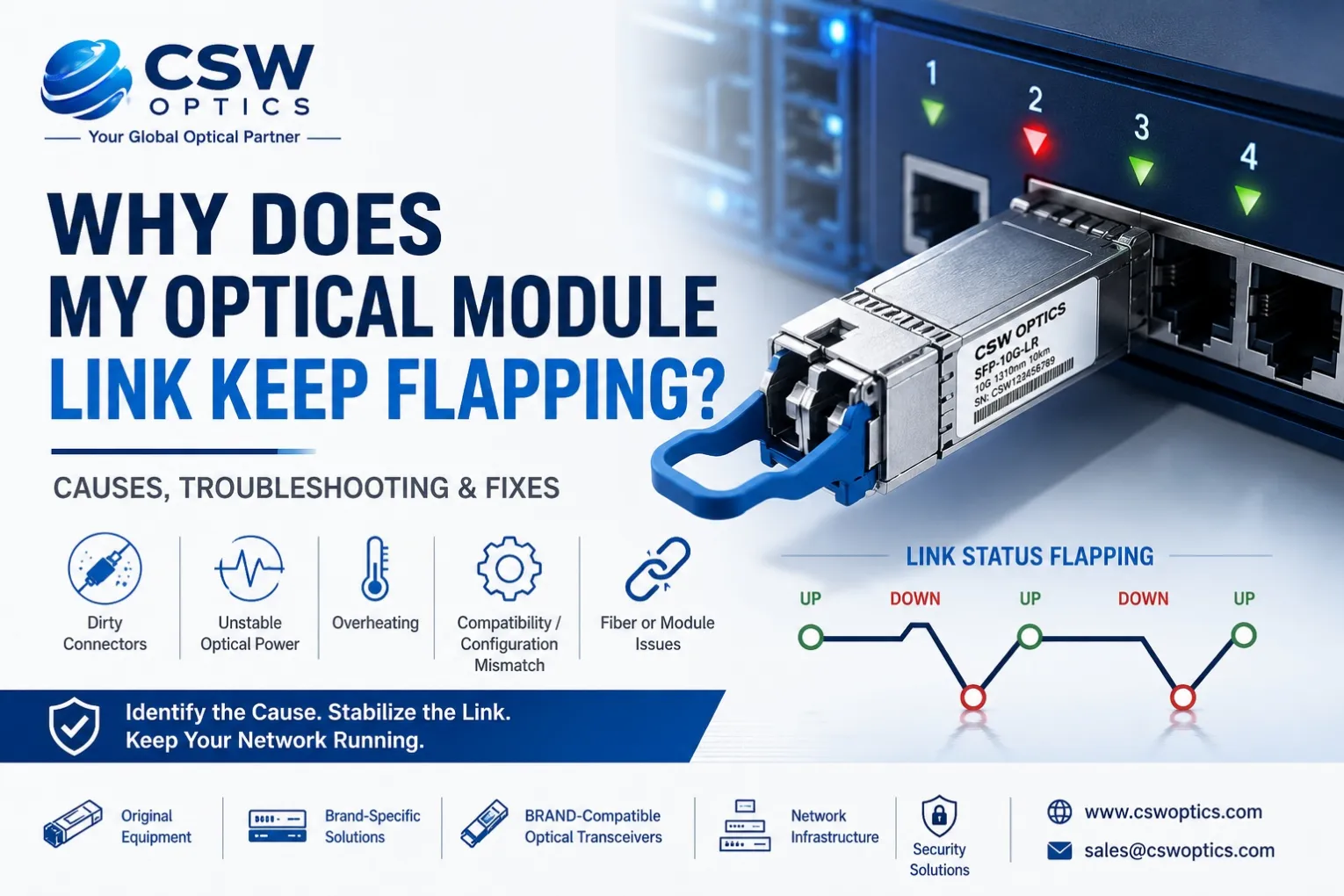
An optical link that repeatedly goes up and down can be frustrating to troubleshoot.
One moment the interface is working normally. A few seconds or minutes later, the port goes down. Then it recovers again.
This problem is commonly described as:
- Optical link flapping
- SFP link keeps disconnecting
- Fiber link going up and down
- Transceiver intermittent connection
- Interface flapping
In production networks, link flapping can lead to packet loss, routing reconvergence, application interruptions, and unnecessary network alarms.
The good news is that most optical link flapping problems can be traced to a few common causes.
In most cases, start by checking:
DDM/DOM data → Fiber connectors → Optical power → Module compatibility → Temperature → Fiber, module, or switch port
This guide explains the six most common causes and how to troubleshoot them.
What Causes an Optical Module Link to Keep Flapping?
The most common causes are:
- Dirty or damaged fiber connectors
- Unstable optical power
- Wrong transceiver or fiber type
- Compatibility or configuration mismatch
- Overheating
- Faulty fiber, optical module, or switch port
The fastest troubleshooting approach is to isolate the problem step by step rather than immediately replacing the optical module.
1. Dirty or Damaged Fiber Connectors
Dirty fiber connectors are one of the most common causes of intermittent optical link problems.
Dust, oil, or other contamination can increase insertion loss and reduce the received optical signal.
The link may still work when the signal is strong enough, but if optical power drops close to the receiver threshold, the connection may become unstable.
This can create a repeated pattern:
Link Up → Signal Drops → Link Down → Signal Recovers → Link Up
Check and clean:
- LC connectors
- MPO/MTP connectors
- Fiber adapters
- Fiber patch cables
- Optical module ports
Also inspect the fiber cable for damage or excessive bending.
This is particularly important for high-speed links where the available link margin may be limited.
Typical Application
A SFP-10G-LR link over single-mode fiber begins flapping after maintenance work.
Before replacing the module, inspect and clean both LC connectors. A contaminated connector may be adding enough loss to push the received power close to the operating limit.
If you need to verify whether the installed fiber matches the transceiver type, see our article:
2. Unstable Optical Power
Optical power should always be checked when troubleshooting link flapping.
Most modern transceivers support Digital Diagnostic Monitoring (DDM/DOM), allowing engineers to review values such as:
- Tx optical power
- Rx optical power
- Temperature
- Voltage
- Laser bias current
Pay particular attention to Rx optical power.
If the received signal is close to the minimum receiver sensitivity, even a small change in fiber loss can cause the link to drop.
For example:
Normal Rx Power → -8 dBm
After connector contamination or fiber movement:
Rx Power → -14 dBm
If the receiver falls outside its supported operating range, the interface may go down.
Common Causes of Low Optical Power
- Dirty connectors
- Damaged fiber
- Excessive link distance
- Too many patch panels or connections
- Poor splice quality
- Weak transmitter output
- Incorrect fiber type
What About Excessive Optical Power?
Very short links using long-reach optics can also create problems if the received power exceeds the receiver's maximum input specification.
For example, using a long-reach single-mode module over a very short fiber connection may require evaluation of the actual optical power budget.
Do not rely only on the module's maximum transmission distance.
Always consider the complete optical link.
3. Wrong Transceiver or Fiber Type
A mismatch between the optical module and fiber infrastructure can cause unstable or unsupported links.
Common examples include:
- SFP-10G-SR used with the wrong fiber type
- SFP-10G-LR installed on an unsuitable fiber infrastructure
- Incorrect wavelength pairing
- Incorrect transmission distance
- Incorrect MPO/MTP configuration
For example:
10G Multimode Link
SFP-10G-SR + OM3/OM4 multimode fiber
10G Single-Mode Link
SFP-10G-LR + single-mode fiber
The transceiver, fiber type, wavelength, and application should be evaluated together.
For higher-speed applications such as QSFP-100G-SR4, the correct MPO/MTP infrastructure and polarity are also important.
If the link configuration includes a mixture of different interface generations, read:
This guide explains the main differences between common 1G, 10G, and 25G optical transceiver form factors.
4. Compatibility or Configuration Mismatch
Not every link flapping problem is caused by the optical signal.
Sometimes the physical connection is correct, but the network platform or interface configuration is causing instability.
Check:
- Port speed
- Interface mode
- Auto-negotiation
- FEC configuration
- Breakout configuration
- Supported transceiver type
- Platform software or firmware requirements
This becomes increasingly important in 25G, 100G, 400G, and higher-speed networks.
For example, a Cisco-compatible SFP-10G-SR may physically fit into the port but still require correct platform compatibility and supported coding.
A properly tested brand-compatible transceiver should be selected according to the specific network equipment.
Useful information includes:
- Equipment brand
- Exact switch or router model
- Port type
- Required speed
- Transmission distance
At CSW Optics, brand-compatible optical transceivers are supplied according to the target equipment and application requirements.
If you are seeing messages such as:
- Unsupported Transceiver
- Module Not Supported
- Transceiver Not Present
- Interface repeatedly resetting
Read:
That article provides a more detailed troubleshooting process for transceiver recognition and compatibility problems.
5. Overheating
Temperature can also cause intermittent link failures.
An optical module may operate normally when the equipment is cool but become unstable after running for several hours.
Possible signs include:
- The link works after rebooting
- The link drops during peak traffic
- Module temperature increases before failure
- The link becomes stable after cooling
- Multiple high-speed ports experience problems
Use DDM/DOM information to monitor module temperature.
Also check:
- Switch airflow
- Fan operation
- Rack temperature
- Port density
- Adjacent high-power modules
Thermal management is especially important for:
- QSFP28 100G
- QSFP-DD 400G
- OSFP 400G
- 800G optical modules
If several modules in the same area are experiencing similar problems, investigate the system cooling environment rather than replacing every transceiver.
6. Faulty Fiber, Optical Module, or Switch Port
If the fiber is clean, the optical power is within range, and the configuration is correct, the problem may be caused by hardware.
The possible components include:
- Fiber patch cable
- Optical module
- Remote transceiver
- Switch port
The fastest way to isolate the problem is to use known-good components.
Try the following:
Test 1: Replace the Fiber Cable
Install a known-good fiber patch cable.
If the link becomes stable, the original cable may be damaged.
Test 2: Replace the Optical Module
Test with a known-good module of the same type.
Examples include:
- GLC-SX-MMD
- GLC-LH-SMD
- SFP-10G-SR
- SFP-10G-LR
- SFP-25G-SR
- QSFP-100G-SR4
- QSFP-100G-LR4
If the problem follows the module when it is moved to another port, the module becomes a stronger suspect.
Test 3: Test Another Switch Port
Move the module to another compatible interface.
If the problem remains on the original port, the switch interface may require further investigation.
The goal is simple:
Identify whether the problem follows the fiber, module, or port.
Quick Troubleshooting Checklist
When an optical link keeps flapping, follow this sequence:
Step 1: Check Interface Logs
Look for:
- Link Up/Down events
- CRC errors
- FEC errors
- Port resets
- Unsupported transceiver messages
Step 2: Check DDM/DOM Data
Review:
- Tx power
- Rx power
- Temperature
- Voltage
- Bias current
Look for abnormal values or significant fluctuations.
Step 3: Clean and Inspect Fiber Connectors
Inspect and clean both ends of the connection.
Step 4: Replace the Fiber Patch Cable
Use a known-good cable to eliminate possible fiber damage.
Step 5: Test With a Known-Good Module
Install another compatible optical module.
Step 6: Test Another Switch Port
Determine whether the problem follows the module or remains with the interface.
Step 7: Check the Remote Side
Verify the transceiver, fiber, optical power, and interface configuration on both ends.
This simple process can eliminate many unnecessary module replacements.
Common Optical Link Flapping Scenarios
Scenario 1: 10G SFP+ Link Keeps Disconnecting
Environment:
SFP-10G-LR
Single-mode fiber
Enterprise switch
Possible causes:
- Dirty LC connector
- Low Rx power
- Damaged fiber
- Faulty module
- Compatibility issue
Recommended approach:
Check DDM values first, clean the fiber connectors, and test with a known-good SFP-10G-LR.
Scenario 2: 25G or 100G Link Drops Intermittently
Environment:
SFP-25G-SR or QSFP-100G-SR4
Data center network
Possible causes:
- High module temperature
- Fiber or MPO connection issues
- FEC configuration mismatch
- Interface errors
Recommended approach:
Check temperature, optical diagnostics, error counters, and configuration on both sides.
Scenario 3: Compatible Transceiver Keeps Going Offline
Environment:
Cisco-compatible optical transceiver
Possible causes:
- Incorrect compatibility coding
- Unsupported software environment
- Incorrect module type
- Hardware problem
Recommended approach:
Confirm the exact equipment model and software environment before replacing the transceiver.
For short-distance data center connections, the connection type may also be worth reviewing.
See:
How to Prevent Optical Link Flapping
The best approach is to reduce the risk before deployment.
Select the Correct Transceiver
Match the module to:
- Equipment platform
- Network speed
- Fiber type
- Transmission distance
- Application
Verify Compatibility
For brand-compatible optics, always confirm the exact equipment model.
Check the Optical Budget
Consider:
- Fiber loss
- Connector loss
- Patch panels
- Splices
- Receiver sensitivity
- Maximum receiver input power
Keep Fiber Connectors Clean
Fiber cleanliness should be part of normal installation and maintenance procedures.
Monitor Optical Diagnostics
Monitoring DDM values can help identify changes before a complete link failure occurs.
FAQ: Optical Module Link Flapping
1. Why does my SFP link keep going up and down?
The most common causes are dirty fiber connectors, unstable optical power, incorrect fiber or module selection, compatibility issues, overheating, or faulty hardware.
Start by checking interface logs and DDM information.
2. Can low Rx power cause link flapping?
Yes. If received optical power falls close to or below the receiver's supported operating range, the interface may repeatedly lose and recover the signal.
3. Can a dirty fiber connector cause intermittent problems?
Yes. Contamination can increase optical loss and reduce the available link margin, which may cause unstable connectivity.
4. How do I know if the optical module is faulty?
Test the module in another compatible port or replace it with a known-good module. If the problem follows the module, it may be defective.
5. Can a compatible optical transceiver cause link flapping?
A properly coded and tested compatible module should operate reliably on its supported platform. However, incorrect compatibility, platform restrictions, configuration problems, or module defects can cause instability.
6. Why does my 100G QSFP28 link keep flapping?
Common causes include MPO connection issues, optical power problems, FEC or interface configuration mismatch, overheating, or hardware faults.
Need Help Troubleshooting an Unstable Optical Link?
If your SFP, SFP+, SFP28, QSFP+, QSFP28, QSFP-DD, or OSFP link keeps flapping, collecting the right information can significantly reduce troubleshooting time.
Before contacting a supplier, prepare:
- Equipment brand and model
- Switch or router model
- Port type
- Optical module part number
- Fiber type
- Link distance
- DDM/DOM information
- Interface logs
CSW Optics provides solutions across:
- Original Equipment
- Brand-Specific Solutions
- Brand-Compatible Optical Transceivers
- Network Infrastructure
- Security Solutions
Whether you need a replacement module, a compatible optical solution, or assistance identifying the correct product for your network, our team can help you match the solution to your equipment and application requirements.
Contact CSW Optics to discuss your network equipment, optical module requirements, and compatibility needs.
Related Articles
1. How to Fix SFP Compatibility Issues
Learn how to troubleshoot unsupported transceivers, platform recognition problems, and common compatibility issues.
Read: How to Fix SFP Compatibility Issues →
2. Optical Module TX Fault Explained
Learn what TX Fault means and how to troubleshoot transmitter-related optical module problems.
Read: Optical Module TX Fault Explained →
3. AOC vs DAC vs Optical Modules: Which Should You Choose?
Compare the main connection options for short-distance and high-speed network deployments.
Read: AOC vs DAC vs Optical Modules →
4. Cisco Catalyst vs Nexus Switches: Key Differences
Understand the differences between Cisco's enterprise and data center switch platforms.
Read: Cisco Catalyst vs Nexus Switches →
5. How to Choose a Reliable Optical Transceiver Supplier
Learn what to consider when evaluating compatibility, testing, quality control, technical support, and supply reliability.
Read: How to Choose a Reliable Optical Transceiver Supplier →